14. Simple way to connect your Rails application to ‘Google Places’
In post 12, we covered how to create custom API clients to fetch data. It may be a good pre-requisite for this post if you’re not familiar with generating api clients.
In this post we will look to explore the Google Places API and integrate it with our base client in Rails.
To get started, you will need to get an API key which you can do here.
Once you’ve created your project, you will be presented with a screen looking like this:
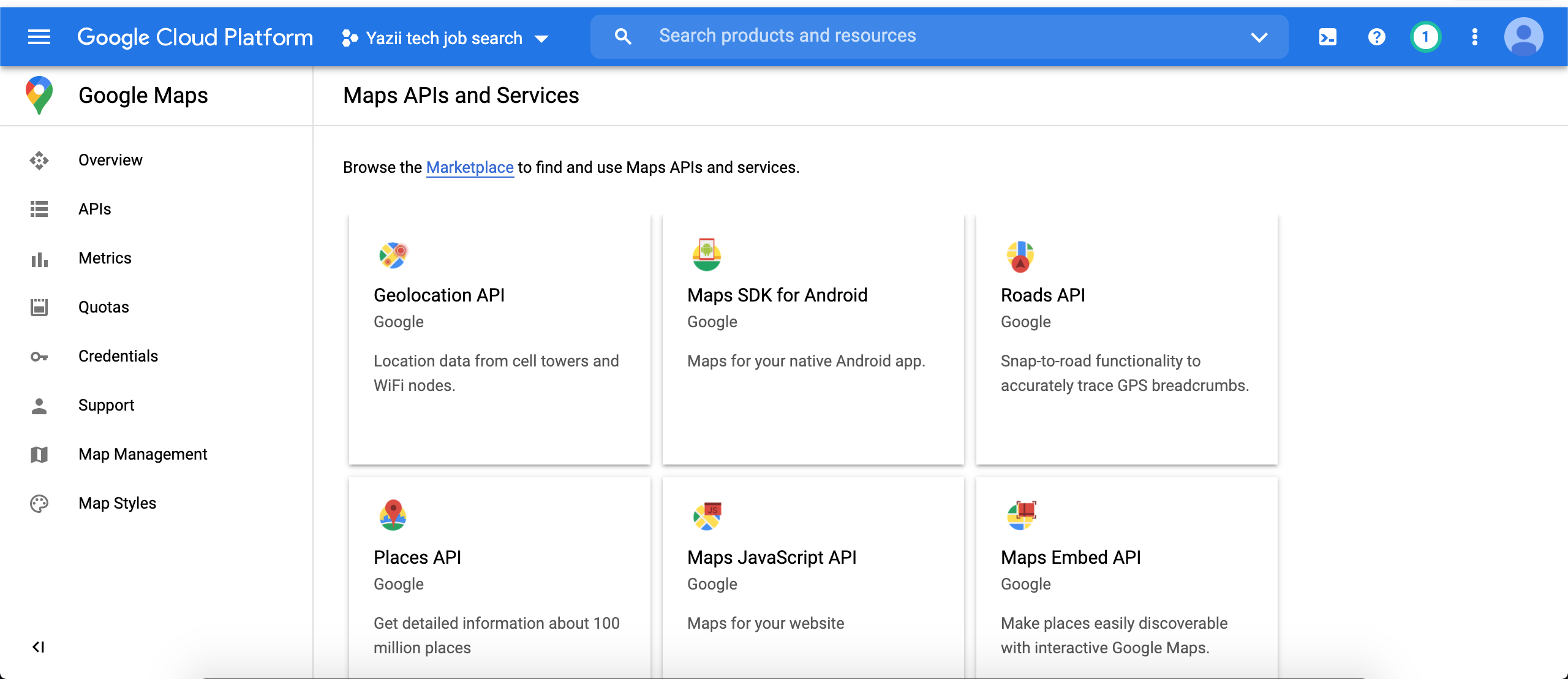
From this screen, we can select the ‘Places API’ as that’s what we will look to integrate in this project.
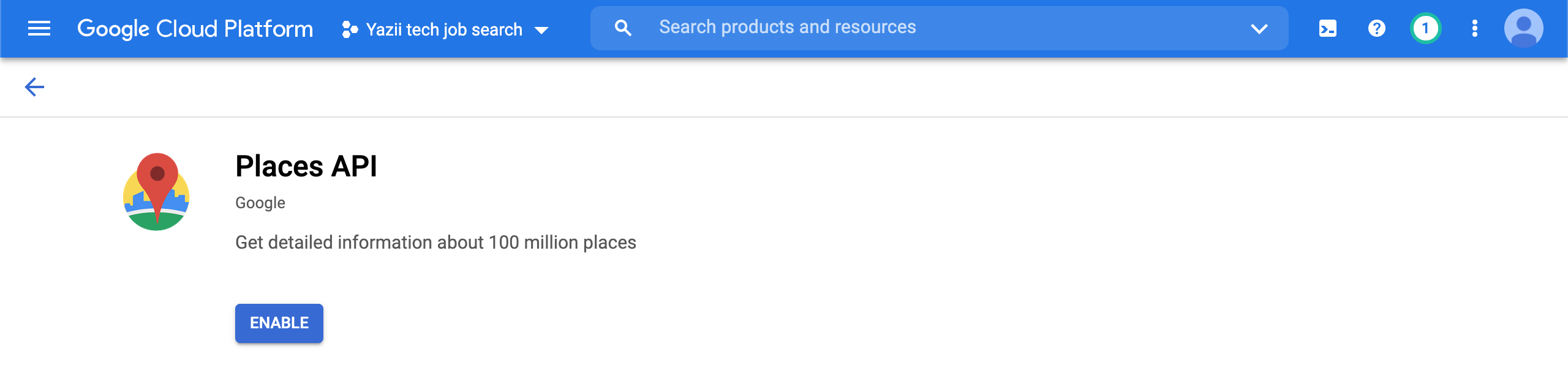
You can navigate to the credentials page in order to get your API keys.
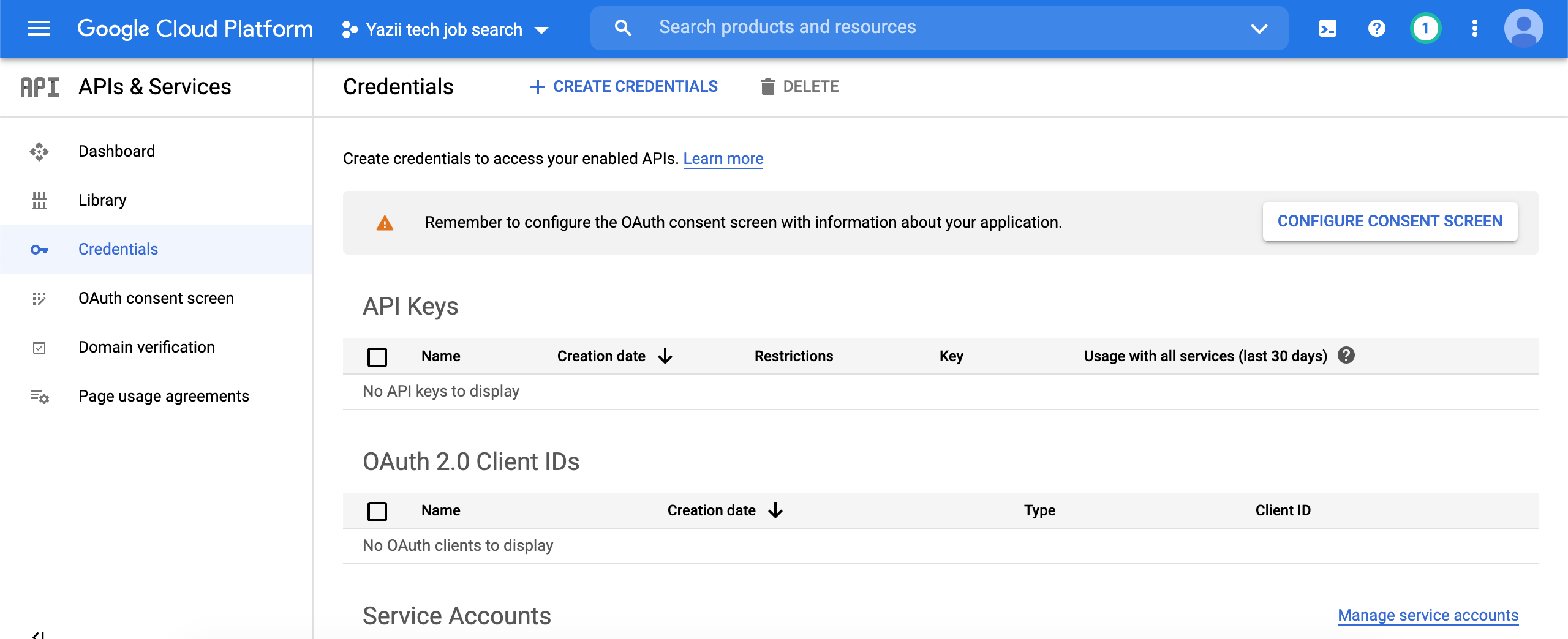
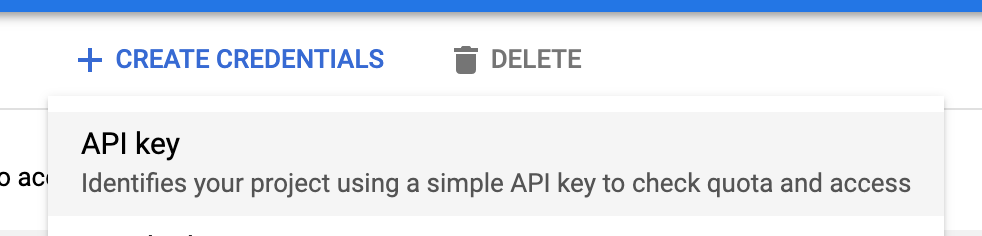
Click ‘Create credentials’ and select an ‘API key’.
Copy the key, you could even export it to use for use later:
export GOOGLE_API_KEY=<your_key_here>You could also apply it your heroku environment variables if using that, or add it to your rails credentials.
Before you can use the google API’s, you will also have to enable billing: https://console.cloud.google.com/project/_/billing/enable
Once this is done, you can test it using Postman as before. From the google documentation, there’s a ‘Find places’ example that we can test:
https://maps.googleapis.com/maps/api/place/findplacefromtext/json?input=Museum%20of%20Contemporary%20Art%20Australia&inputtype=textquery&fields=photos,formatted_address,name,rating,opening_hours,geometry&key=YOUR_API_KEY
Edit YOUR_API_KEY with your copied API key and enter it to Postman, you should have something like this:
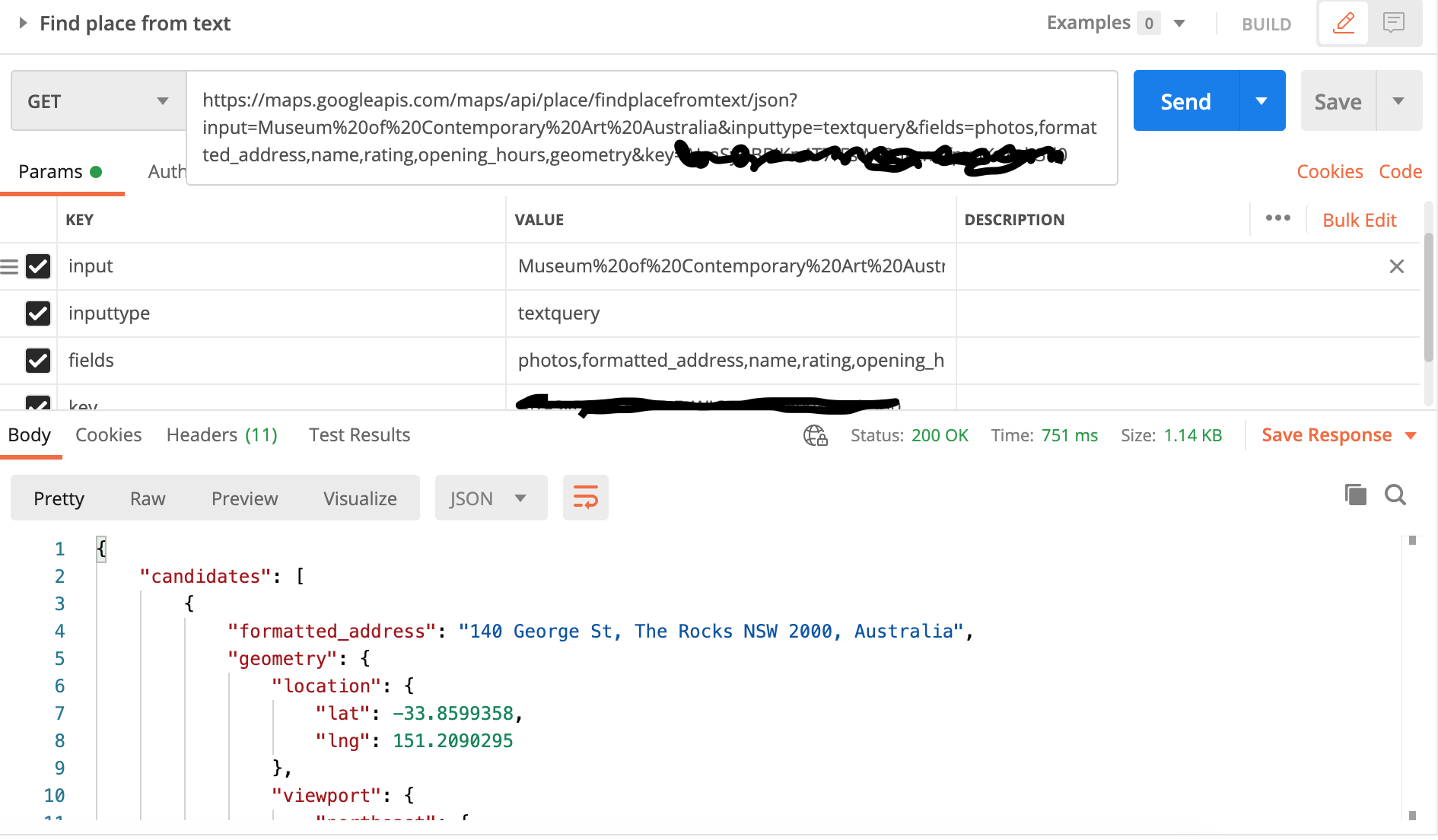
If you get a 200 OK response, we can continue to implementing the client in Ruby, otherwise check what the errors are and fix them before continuing.
The next thing you will want to do is make sure you have these 2 gems in your Gemfile:
gem ‘google_places’Google places gem is a Ruby wrapper using HttParty. This gem will make the integration a lot simpler and easier for us.
Here I will quickly cover the 2 base classes that we need, which are also referenced and explained in post 12.
Create these 2 files:
app/clients/resty/client.rb
app/clients/resty/response.rb
And enter the following content:
client.rb:
# frozen_string_literal: true

module Resty
module Client
def initialize(options = {})
@base_url = options[:base_url]
end

def get(path, options = {})
Response.new(RestClient.get(build_url(path), get_options(options)))
end

def post(path, payload, options = {})
Response.new(RestClient.post(build_url(path), payload, options))
end

def put(path, payload, options = {})
Response.new(RestClient.put(build_url(path), payload, options))
end

def patch(path, payload, options = {})
Response.new(RestClient.patch(build_url(path), payload, options))
end

def delete(path, options = {})
Response.new(RestClient.post(build_url(path), options))
end

private

attr_reader :base_url

def build_url(path)
[base_url, path].join
end

def get_options(options)
default_get_options.deep_merge(options.deep_symbolize_keys)
end

def default_get_options
{
accept: :json
}
end
end
endresponse.rb:
# frozen_string_literal: true

module Resty
class Response
delegate :code, to: :response

def initialize(response)
@response = response
end

def content
Oj.strict_load(response.body)
end

private

attr_reader :response
end
end
And now for the main part
create a file for your google client:
app/clients/google_place_client.rb
Add the following content:
# frozen_string_literal: true

class GooglePlaceClient
def self.find(name, options = {})
new(options).find(name)
end

def initialize(options = {})
@options = options
end

def find(name)
list = client.spots_by_query(”#{name} office”, options)
place = list.find { |item| item.permanently_closed.nil? && item.types.include?(‘establishment’) }
return nil unless place

client.spot(place.place_id)
end

private

attr_reader :options

def client
@client ||= GooglePlaces::Client.new(api_key)
end

def api_key
ENV[‘GOOGLE_API_KEY’]
end
end
Let’s go through what we have here
def client
@client ||= GooglePlaces::Client.new(api_key)
end
We initialise the google client gem and make it available for use.
def api_key
ENV[‘GOOGLE_API_KEY’]
end
Make sure you have the google api key exported in your environment. You can do this with:
export GOOGLE_API_KEY=<YOUR_KEY_HERE>
You can also verify it using env | grep GOOGLE_API_KEY and just make sure there’s the environment variable returned.
The main function call is:
def find(name)
list = client.spots_by_query(”#{name} office”, options)
place = list.find { |item| item.permanently_closed.nil? && item.types.include?(‘establishment’) }
return nil unless place

client.spot(place.place_id)
end
Let’s go through this in rails console to give you more insight with what this does. Open terminal and type:
rails c

client = GooglePlaces::Client.new(ENV[‘GOOGLE_API_KEY’])

spots = client.spots_by_query(“facebook london”)

spots
=> [#<GooglePlaces::Spot:0x00007f909ddedb88 @json_result_object={“business_status”=>“OPERATIONAL”, “formatted_address”=>“1 Rathbone Square, Fitzrovia, London W1T 1FB, United Kingdom”, “geometry”=>{“location”=>{“lat”=>51.5168049, “lng”=>-0.1340803}, “viewport”=>{“northeast”=>{“lat”=>51.51841112989272, “lng”=>-0.1328664201072778}, “southwest”=>{“lat”=>51.51571147010728, “lng”=>-0.1355660798927222}}}, “icon”=>“https://maps.gstatic.com/mapfiles/place_api/icons/generic_business-71.png”, “name”=>“Facebook”, “photos”=>[{“height”=>2592, “html_attributions”=>[“<a href=\“https://maps.google.com/maps/contrib/112620674984930997750\“>A Google User</a>”], “photo_reference”=>“CkQ0AAAAUGK72frVGTZz99VqIutWhfowCm2KVRrrmdrkFqA0TH-CH2f23PAfoMhO4qhGsPzdpZjejhvHAJWA0vRHhDqOwRIQYgOsb46QUjCFEY-XwHYUdhoUGKsscOnA0bVG2sRaM95v3Wi02QY”, “width”=>4608}], “place_id”=>“ChIJP0tb3MwEdkgRpJ7l5ftXN2g”, “plus_code”=>{“compound_code”=>“GV88+P9 London”, “global_code”=>“9C3XGV88+P9”}, “rating”=>4.2, “reference”=>“ChIJP0tb3MwEdkgRpJ7l5ftXN2g”, “types”=>[“point_of_interest”, “establishment”], “user_ratings_total”=>790}, @reference=“ChIJP0tb3MwEdkgRpJ7l5ftXN2g”, @place_id=“ChIJP0tb3MwEdkgRpJ7l5ftXN2g”, @vicinity=nil, @lat=51.5168049, @lng=-0.1340803, @viewport={“northeast”=>{“lat”=>51.51841112989272, “lng”=>-0.1328664201072778}, “southwest”=>{“lat”=>51.51571147010728, “lng”=>-0.1355660798927222}}, @name=“Facebook”, @icon=“https://maps.gstatic.com/mapfiles/place_api/icons/generic_business-71.png”, @types=[“point_of_interest”, “establishment”], @id=nil, @formatted_phone_number=nil, @international_phone_number=nil, @formatted_address=“1 Rathbone Square, Fitzrovia, London W1T 1FB, United Kingdom”, @address_components=nil, @street_number=nil, @street=nil, @city=nil, @region=nil, @postal_code=nil, @country=nil, @rating=4.2, @price_level=nil, @opening_hours=nil, @url=nil, @cid=0, @website=nil, @zagat_reviewed=nil, @zagat_selected=nil, @aspects=[], @review_summary=nil, @photos=[#<GooglePlaces::Photo:0x00007f909dded840 @width=4608, @height=2592, @photo_reference=“CkQ0AAAAUGK72frVGTZz99VqIutWhfowCm2KVRrrmdrkFqA0TH-CH2f23PAfoMhO4qhGsPzdpZjejhvHAJWA0vRHhDqOwRIQYgOsb46QUjCFEY-XwHYUdhoUGKsscOnA0bVG2sRaM95v3Wi02QY”, @html_attributions=[“<a href=\“https://maps.google.com/maps/contrib/112620674984930997750\“>A Google User</a>”], @api_key=“AIzaSyBBBiKn4T7rFsWIGnyzmffpvuKuIIzb3d0”>], @reviews=[], @nextpagetoken=nil, @events=[], @utc_offset=nil, @permanently_closed=nil>]

client.spot(spots.first.place_id)
=> #<GooglePlaces::Spot:0x00007f90a2457c90 @json_result_object={“address_components”=>[{“long_name”=>“1”, “short_name”=>“1”, “types”=>[“street_number”]}, {“long_name”=>“Rathbone Sq
uare”, “short_name”=>“Rathbone Square”, “types”=>[“route”]}, {“long_name”=>“Fitzrovia”, “short_name”=>“Fitzrovia”, “types”=>[“neighborhood”, “political”]}, {“long_name”=>“London”, ”
short_name”=>“London”, “types”=>[“postal_town”]}, {“long_name”=>“Greater London”, “short_name”=>“Greater London”, “types”=>[“administrative_area_level_2”, “political”]}, {“long_name
”=>“England”, “short_name”=>“England”, “types”=>[“administrative_area_level_1”, “political”]}, {“long_name”=>“United Kingdom”, “short_name”=>“GB”, “types”=>[“country”, “political”]}
, {“long_name”=>“W1T 1FB”, “short_name”=>“W1T 1FB”, “types”=>[“postal_code”]}], “adr_address”=>“<span class=\“street-address\“>1 Rathbone Square</span>, <span class=\“locality\“>Lon
don</span> <span class=\“postal-code\“>W1T 1FB</span>, <span class=\“country-name\“>UK</span>”, “business_status”=>“OPERATIONAL”, “formatted_address”=>“1 Rathbone Square, Fitzrovia,
London W1T 1FB, UK”, “formatted_phone_number”=>“020 3386 6000”, “geometry”=>{“location”=>{“lat”=>51.5168049, “lng”=>-0.1340803}, “viewport”=>{“northeast”=>{“lat”=>51.5184102802915,
“lng”=>-0.132867269708498}, “southwest”=>{“lat”=>51.5157123197085, “lng”=>-0.1355652302915021}}}, “icon”=>“https://maps.gstatic.com/mapfiles/place_api/icons/generic_business-71.png
”, “international_phone_number”=>“+44 20 3386 6000”, “name”=>“Facebook”, “photos”=>[{“height”=>2592, “html_attributions”=>[“<a href=\“https://maps.google.com/maps/contrib/1126206749
84930997750\“>Salvatore Parisi</a>”], “photo_reference”=>“CkQ0AAAALVlzdbt82Z6z4NJvRfH_2h2hBpI0QfcGhPPituk_dzYgg5eAuSeoM3ynKUk3K1DNTSAV0obD97KZgeN935Tp8BIQf7-d49vwa3FU2d4veLrjjxoUMT_
b4r4G-ad77eAqgG1vdK6rbAc”, “width”=>4608}, …
So we can initialise the google places gem with just our API key, and we can start using it out of the box.
You can check the documentation for these two functions:
spots_by_queryspot
Essentially though, spots_by_query will search google ‘spots’ with your query string and/or options. This returns a lot of data, but it’s not in depth. Then if you require further information about particular spot/place, you can query the spot and get detailed information about that place.
So let’s try this in practice in rails console:
rails c

GooglePlaceClient.find(‘Facebook’)
=> #<GooglePlaces::Spot:0x00007f90a15608b8 @json_result_object={“address_components”=>[{“long_name”=>“1”, “short_name”=>“1”, “types”=>[“street_number”]}, {“long_name”=>“Rathbone S$
uare”, “short_name”=>“Rathbone Square”, “types”=>[“route”]}, {“long_name”=>“Fitzrovia”, “short_name”=>“Fitzrovia”, “types”=>[“neighborhood”, “political”]}, {“long_name”=>“London”, $
short_name”=>“London”, “types”=>[“postal_town”]}, {“long_name”=>“Greater London”, “short_name”=>“Greater London”, “types”=>[“administrative_area_level_2”, “political”]}, {“long_nam$
”=>“England”, “short_name”=>“England”, “types”=>[“administrative_area_level_1”, “political”]}, {“long_name”=>“United Kingdom”, “short_name”=>“GB”, “types”=>[“country”, “political”]$
, {“long_name”=>“W1T 1FB”, “short_name”=>“W1T 1FB”, “types”=>[“postal_code”]}], “adr_address”=>“<span class=\“street-address\“>1 Rathbone Square</span>, <span class=\“locality\“>Lo$
don</span> <span class=\“postal-code\“>W1T 1FB</span>, <span class=\“country-name\“>UK</span>”, “business_status”=>“OPERATIONAL”, “formatted_address”=>“1 Rathbone Square, Fitzrovia$
London W1T 1FB, UK”, “formatted_phone_number”=>“020 3386 6000”, “geometry”=>{“location”=>{“lat”=>51.5168049, “lng”=>-0.1340803}, “viewport”=>{“northeast”=>{“lat”=>51.5184102802915$
“lng”=>-0.132867269708498}, “southwest”=>{“lat”=>51.5157123197085, “lng”=>-0.1355652302915021}}}, “icon”=>“https://maps.gstatic.com/mapfiles/place_api/icons/generic_business-71.png
”, “international_phone_number”=>“+44 20 3386 6000”, “name”=>“Facebook”, …
And that was it, it works!